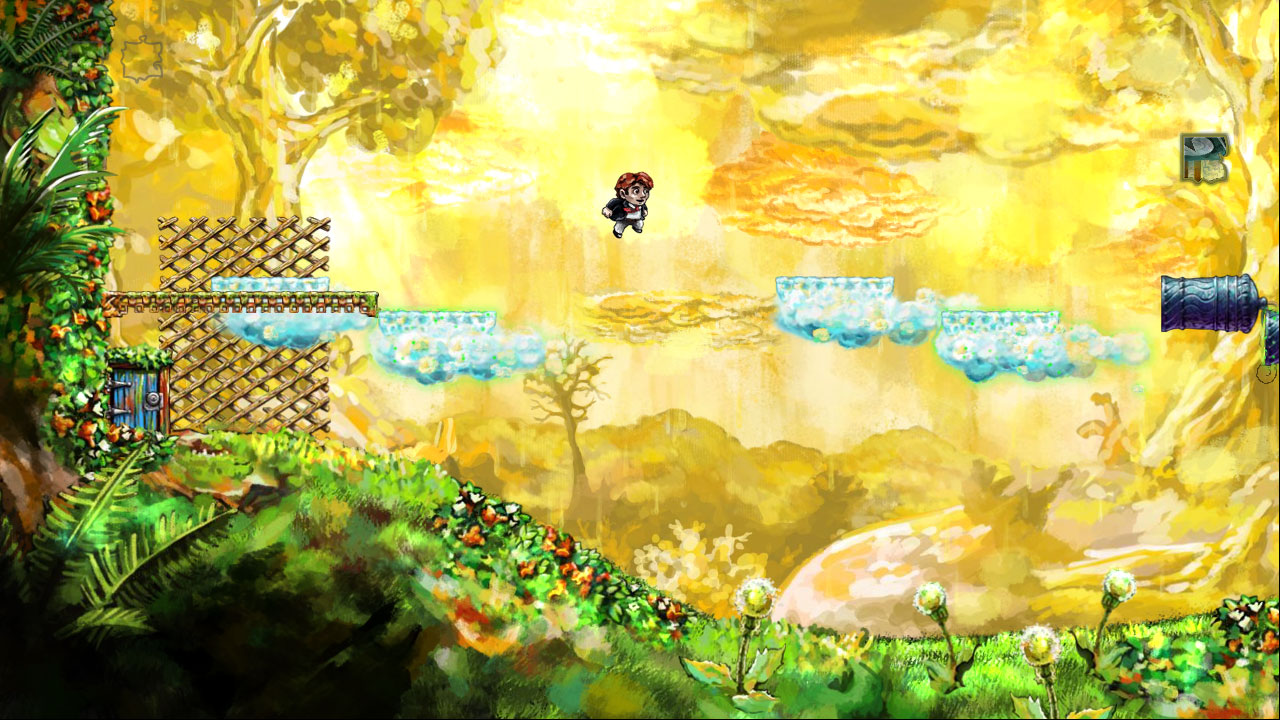
Braid Time Manipulation and Puzzle Solutions Guide
Master time manipulation in Braid with tips on rewinds, time-shifted objects, shadows, puzzle solutions, and elusive stars.
Few platformers have stood the test of time quite like Braid, and for good reason. Its puzzles invite players to twist and bend time itself, rewinding mistakes or experimenting with cause and effect until everything clicks into place. Of course, that clever time manipulation can also leave you scratching your head as you try to figure out exactly how to snag that last, elusive puzzle piece. Whether you’re revisiting Braid for another journey or tackling its challenges for the first time, understanding how each time-based mechanic works is key to solving its most devious levels. Getting to grips with these mind-bending puzzles often means rethinking the usual rules of platforming altogether.
Rewind Guide
The rewind feature sits at the heart of Braid’s time-bending design, turning every level into a safe space for wild experimentation. If you’ve just missed a jump, accidentally touched a spiky enemy, or locked yourself out of a puzzle piece, don’t sweat it—rewind lets you try again, as if nothing happened. Mastering this mechanic is essential for progressing through the game and learning its deeper puzzle logic.
How to Rewind
Default Controls
- On PC: Hold down the [Shift] key or press [Left Trigger] on your controller.
- On Console: Usually tied to the [Left Trigger] or [L2] button.
Let go when you’ve zipped back to the moment you want. It’s as simple as that—no penalties, no limits. You can reverse everything as far back as the very start of the level or your most recent entry from a door.
What Rewind Changes (And What It Doesn’t)
Everything in most Braid levels—Tim, enemies, moving platforms, even pick-ups—moves in reverse as you rewind. This “everything rewinds” rule has exceptions, though, and learning them is key for many puzzles.
Green-Glowing Elements
You’ll quickly notice some objects, keys, and enemies leave behind a green shimmer. This visual cue means the object is immune to your rewinding.
- If you pick up a green-glowing key, then rewind, the key stays in your inventory even as the rest of the world moves backward.
- Green enemies don’t reset their position unless you actually leave the screen.
Plan your progress around this—sometimes you need to snag a green key, make mistakes after it, and rewind only your actions without losing the item.
Rewind Isn’t Just for Undoing Mistakes
Most first-time players treat rewind as an “oops” button. But for Braid’s trickier levels, it turns into a core problem-solving tool. Here’s how you can use it to your advantage:
Test Before You Commit
- Platforming Training Wheels: Got a tough jump or a room you’re analyzing? Try riskier moves. Fall into pits, test if an enemy can be used as a platform, and see the results instantly.
- Sequence Experimentation: Some puzzles need specific timing, like luring an enemy or platform into place. You can hunt for the right sequence, rewinding anytime something goes off-script.
Multi-Step Puzzle Solving
In puzzles involving multiple moving pieces, it’s often impossible to know every step ahead of time. Make educated guesses, rewind to tweak early moves, and watch how later solutions play out.
Managing Enemies and Hazards
Died to an enemy at the end of a long setup? Rewind, and adjust only the actions right before, rather than replaying the whole stage. For puzzles that require enemies to be in particular spots, rewind allows you to reset without losing all your progress.
Special Rewind Techniques
As you progress, Braid introduces more complex mechanics that interact with rewinding:
Chapter 3: Time-Proof Items
Watch out for scenarios where you must collect green-glowing items in one order, make a mistake, and then rewind—not to erase the mistake, but to keep what you’ve gathered.
Chapter 4: Time Moves With You
In this world, time travels forward when you walk right and backward when you walk left. The rewind button here acts as a “hard reset” since the timeline is directly tied to your character’s position. Use rewind if you get tangled up or create an impossible mess.
Chapter 6: Shadow Tim
Your past self’s movements get replayed as a shadow when you rewind. This opens up puzzles based on cooperation between the “current” Tim and his shadowy doppelganger, requiring careful planning to ensure both versions work together to collect pieces, hit switches, or outsmart enemies.
Tips for Rewind Success
- Don’t be afraid to spam rewind. Trying lots of things is the fastest way to learn. You can’t get a game over or soft-lock yourself.
- Use visual cues. A green glow means “protected from rewinding.” Memorize it.
- Remember entry points. If you mess up so thoroughly that you can’t fix things with rewind, just exit to the map and reload the stage. Puzzle progress usually only resets to your last entry.
When Rewind Won’t Help
- Hard Resets: If you use a door or exit a level, you can’t rewind back before that point.
- Puzzle Purgatory: If you interact with green-glowing objects incorrectly, some puzzles might become unsolvable until you reset the level.
Conclusion
Rewind in Braid isn’t just a handy undo—it’s the bread and butter for both basic platforming and the game’s wildest puzzle sequences. Treat it as a tool for trial and error, learning with every mistake, and as an intentional mechanic built into the core of the gameplay itself. With these tips, you’ll have the confidence to experiment boldly and crack even the toughest challenges Braid throws your way.
Time-Shifted Objects Guide
Tim’s world bends the laws of time, but not everything bends the same way. As you move through Braid’s levels, you’ll spot objects and enemies with a distinctive green shimmer. These are not just for show—they signal a core twist in how the game’s time mechanics play out. Grasping how time-shifted objects work is essential for untangling Braid's tougher puzzles, especially when rewind alone won't cut it.
What Are Time-Shifted Objects?
Time-shifted objects—usually highlighted with a green glow—don’t behave like everything else when you rewind or mess with time. While most things in Braid are totally controlled by your time manipulation, time-shifted elements ignore your rewinds and special world effects. This rule is not just cosmetic—it’s the backbone of the game’s trickiest puzzles.
You’ll encounter time-shifted:
- Keys
- Platforms
- Levers
- Doors
- Enemies (like goombas and bunnies)
- Puzzle pieces
Whenever you manipulate time, these objects stay anchored. For example, if you pick up a green-shimmering key, then rewind, Tim is set back in time, but the key remains in your possession. If you move a green-glowing platform with a lever, the platform won’t snap back if you rewind the world.
How to Identify Them
Spotting a time-shifted object is easy: look for that unmistakable green sparkle. It’s always there, never subtle. If you’re unsure why rewinding isn’t “working” on something, check for the green effect—the game wants you to notice this.
Why Do Time-Shifted Objects Matter?
These objects drive Braid’s cleverest puzzles. The game often puts you in situations where you need to hold onto a key or keep an enemy in a specific spot, even as everything else resets or reverses. Sometimes, the solution is less about perfect timing and more about understanding what will move and what will stay put.
A few ways these objects shake things up:
- Permanent Progress: Picking up a green key makes your progress “permanent,” no matter how much you rewind. This lets you undo mistakes around the pick-up, but not the pick-up itself.
- Puzzle Resets: Time-shifted objects can soft-lock puzzles. Grab a green key too early or block a green platform the wrong way, and you may need to restart the level.
- Layered Sequences: Often, you need to coordinate what’s time-shifted with what isn’t—setting up events so things line up when you reverse or move forward.
Strategies For Time-Shifted Puzzles
Let’s break down some practical tips and tricks for dealing with these unmovable objects:
1. Prioritize Green
When you’re plotting your puzzle solution, always factor in time-shifted objects first. What can you do that’s undoable? What stays when you rewind? This mental checklist is your roadmap:
- Don’t collect a green key until you know what doors you’ll open.
- Avoid moving green platforms until you’ve set everything else up.
- Track where green enemies will be after you reverse time.
2. Plan Before Picking Up
Before interacting with a green-glowing key, pause and think about the sequence you’ll need after you grab it. Since you can’t “un-grab” it by rewinding, one mistake can mess up your whole plan.
3. Use Time-Shifting to “Cheat” Setups
Many Braid puzzles let you get away with out-of-order steps thanks to time-shifted objects. For example, you might:
- Grab a green key
- Make risky jumps or take damage
- Rewind to before the damage, with the key still in your pocket
This creates clever shortcuts—if you understand the rules.
4. Stack Effects With Other Time Mechanics
Things get spicy in worlds where other time tricks come into play—like time moving with you, or shadow Tim worlds. Time-shifted objects ignore most of these world rules too. Sometimes you’ll need to coordinate the physics of standard and green-glowing objects together, especially for late-game puzzle pieces.
Examples From Specific Worlds
While green-glowing objects are scattered throughout the game, certain chapters really lean into their use.
Chapter 2: Learning the Basics
Your first time-shifted items are simple keys and doors. These train you to recognize the green effect and get used to how they break the normal rewind rules.
Chapter 3: Complex Setups
Green platforms and enemies appear, usually requiring you to sync “time normal” and “time-shifted” elements by rewinding. The classic trick is using a green key to open one path, rewinding multiple actions, and forcing the world into a solution sequence.
Chapters 4 and Beyond: New Twists
Later chapters mash up time-shifted objects with other mechanics, like time moving with Tim, or shadow copies of yourself. These require even more careful sequencing, as you combine layering of time-sensitive and time-shifted behaviors.
Common Pitfalls
- Collecting Too Early: Grabbing a green key or moving a green platform without a plan can make some puzzles unsolvable.
- Ignoring Sequence: Remember, some objects can’t be “unmoved.” Do everything you can first—then interact with the time-shifted thing.
- Forgetting Which Is Which: In busy stages, keep your eye on what glows green. It’s easy to forget which pieces are locked out of the time stream.
Troubleshooting & Resetting
If you hit a wall because of a green object mistake:
- Rewind as far as possible. If the mistake is after a green key or item, you might have to reset the level.
- Level select is your friend. There’s no penalty; the game design expects mistakes.
- Take notes on tricky rooms. Sometimes, sketching a puzzle’s elements helps clarify which order is needed.
In Summary
Time-shifted objects in Braid flip the script on every expectation you have about how rewinding should work. They reward big-picture planning, sometimes punishing short-sighted moves but always teaching you to think before you act. Next time you see that green shimmering platform or key, pause and picture how your timeline will split—what will stick, and what will roll back—with every step. Mastering these rules is key to piecing together Braid’s toughest challenges.
Shadow Object Guide
Braid’s shadow mechanic is one of its most mind-bending twists, showing up prominently in World 5. Here, every time you rewind, a translucent “shadow” version of Tim retraces your previous moves. These shadows are more than just ghosts—they’re an essential part of the puzzle-solving process, allowing you to “cooperate” with yourself to tackle multi-step challenges that can’t be solved by Tim alone. Let’s break down how shadow objects and shadows work and see how you can use them to your advantage.
What Are Shadow Objects and Shadows?
When you enter certain levels in World 5, you’ll notice that rewinding doesn’t just reverse time—it also spawns a shadow version of your character. This shadow follows your past actions, creating a record of what you just did. When you start moving again, your shadow keeps doing what you did before rewinding, essentially acting as a second self.
Shadow objects—like shadow keys, levers, or doors—are ones that your shadow can interact with, distinctly outlined in pale or faded colors so you can spot them easily. Not every world has them, and not all objects are shadow-interactable. That’s key: Braid marks interactable shadow objects with a subtle wash, so watch the art. Your shadow can carry shadow keys and open shadow doors while you move as Tim, and vice versa, letting you solve puzzles that need two people at once.
How Shadow Mechanic Puzzles Work
Solving puzzles with shadows requires setting up actions before rewinding. Here’s how a typical sequence goes:
- Do the Task as Tim: Activate a lever, carry a key, or jump on a platform.
- Rewind: Once your intended actions are finished, start rewinding time.
- Watch for Shadow Tim: Your shadow starts acting out what you did before you rewound.
- Take Control Again: Move the real Tim. As you play, your shadow duplicates your previous movements, letting you interact with objects in two timelines at once.
This interaction is the heart of World 5, requiring you to think not just about what to do, but when to do it, and in what order. Remember, regular (non-shadow) objects can still only be used by Tim, while shadow objects recognize shadows only.
Shadow Puzzle Strategies
The biggest challenge in shadow puzzles is choreography. Since you can’t directly command your shadow, everything relies on your planning and rehearsal. Here are key approaches that boost your chances of success:
1. Break Tasks Apart
First, know what each “version” of Tim must do. Does your shadow need to hold a switch? Carry a shadow key across a room? Map out the timeline so your real and shadow Tims aren’t fighting for the same space or item.
2. Use Rewind to “Record” Actions
Think of your first run as laying down a recording for your shadow. Every jump, switch pull, ladder climb, or key grab gets “remembered.” When you rewind, Tim’s shadow will mimic all that, freeing up present Tim to do the other parts. Don’t worry about being perfect—often the puzzle is forgiving as long as the timing lines up.
3. Picture Overlaps
You’ll often need both Tims to do things at once, like holding two switches or crossing a rising platform. If the timing’s off, either record a new attempt, or wait to rewind until both are in sync. Watch how doors, switches, and platforms respond and prepare for trial and error.
4. Identify Which Objects Work for Shadows
Not every object accepts shadow interaction, so test a lever or key: If the object responds to your shadow but not to Tim, it’s a shadow object. If not, it’s for main Tim only.
5. Bait and Switch Tactics
Use your shadow to distract or reroute enemies. For example, you might send shadow Tim to get a monster’s attention, then have the real Tim sneak past once it’s safely out of the way.
Example: World 5-2 “So Distant”
Let’s see how all this lines up in practice. In “So Distant,” you’re faced with two levers and a moving platform. You can’t pull both levers at once, but you can set up your shadow to help:
- First, pull lever #1 as Tim.
- Rewind time, then immediately move over and pull lever #2 (while your shadow repeats the lever #1 pull).
- The moving platform, now activated by both levers, lets you proceed or collect that hard-to-get puzzle piece.
Advanced Tips
- Use careful rewinding to rehearse tricky little moves. Fast-forward if you miss a step by carefully nudging the time forward in small increments.
- Watch for environmental clues. Buttons or doors that only respond when the shadow moves through them are common in these puzzles.
- Don’t forget: Shadow actions are like a playback, not a direct AI. If you mess up the recording, just redo your steps for a new shadow performance.
Common Mistakes
- Mistiming Actions: If you miss a jump or grab at the wrong second, the sequence falls apart. Rewind and revise your steps as often as needed.
- Forgetting What’s Shadow-Accessible: Make sure you’re not wasting time trying to get your shadow to interact with regular objects.
- Overlapping Shadows: If real and shadow Tim collide, it won’t break the puzzle, but it can mess with your action plan.
Conclusion
Mastering Braid’s shadow objects and shadow Tims calls for patience, creativity, and solid planning. Once you get the hang of recording your moves and letting your shadow handle the busywork, these puzzles start to feel more like a dance and less like a headache. Take your time, experiment with different approaches, and enjoy the satisfaction when everything clicks. Shadow mechanics are one of Braid’s smartest concepts—the more you play with them, the more fun they get.
Puzzle Piece Guide
Puzzle pieces are Braid’s core collectible—they’re what you need to truly complete each world, and they’re often hiding in plain sight or behind some pretty serious brainteasers. Each world in Braid has a set number of pieces, and collecting every last one means you’ve solved not just platform challenges, but also fully mastered the game’s signature time mechanics.
Let’s look at how puzzle pieces work, where to find them, and tips for solving even the toughest ones.
How Puzzle Pieces Work
When you enter a level, you’ll spot puzzle piece icons on the stage map. Some are right in front of you, others are far out of reach. Each piece is stationary—you need to figure out the correct sequence of actions using levers, time rewinding, platforms, and enemies to claim them. Once collected, a piece stays with you, even if you have to restart the level.
Collected pieces are used in the main hub to complete that world’s jigsaw, which gives you hints for the main story, and eventually unlocks new areas.
General Strategies for Collecting Puzzle Pieces
-
Read the Room: Take a second to scan the area before making moves. Often you’ll see the layout is a riddle in itself—levers, enemies, platforms, and time-manipulation zones are all arranged to hint at the solution.
-
Experiment With Time Powers: Every world has its own time twist, whether it’s basic rewinding, time moving only when you move, placement of green-glowing “immune” objects, or the shadow mechanic. Use that to your advantage. Don’t just move forward—try moving back, rewinding, or pausing to trigger the right state for a platform or enemy.
-
Check for Green-Outlined Objects: Anything outlined in green won’t rewind with the rest of the stage. You might need to borrow a green key or use a green platform in clever ways while resetting everything else.
-
Use Enemies as Tools: Sometimes you have to bait a goomba-like enemy onto a switch, or bounce off their head mid-air to reach a high platform. If an enemy seems like an obstacle, ask if you can use it instead.
-
Don’t Skip Sections: Sometimes you’ll find a puzzling piece you can’t reach yet. If you’re stuck, move on and clear other parts of the level—sometimes the solution is hidden later in the stage, or you loop back from another path.
World-By-World Breakdown
Each world in Braid introduces a new twist. Here’s how these twists affect the way you chase down pieces:
World 2: Rewinding
This world is about getting comfy with your basic rewind. Pieces are usually locked behind simple puzzles: moving platforms, enemy jumps, or timed levers. If you mess up, just pull time back and try again. Don’t forget to experiment—many pieces want you to make bold moves, like bouncing off an enemy you lured into the perfect spot.
World 3: Time-Linked Movement
Here, time moves only when Tim moves. Puzzles often depend on timing your motion to sync platforms or enemy positions. Some pieces require you to stand still so moving objects pause midair, or sprint across the map, freezing other pieces in place. Watch how platforms and enemies respond to your steps.
World 4: Time Forwards and Backwards
Left and right movement dictate time’s direction. Pieces involve rewinding time by walking backward, setting up enemies or platforms so they line up for your next move. If an enemy gets stuck or you miss a jump, walk the opposite way—sometimes the unlikely path is the one that resets things perfectly.
World 5: Shadow Mechanic
Here’s where things get spicy. You’ll need to leave your shadow behind to pull levers, stand on buttons, or lure enemies. Perfect timing is key; watch your “recording, then play” approach from the shadow guide above. Think two steps ahead—can your shadow open a path while real Tim collects the piece? Trial and error is your friend.
World 6: Green Objects
Green-glow means no rewinding. Most pieces here are about using green keys or platforms strategically. You may need to use time travel to reset the room and leave the green item in a better spot, allowing you to open new paths or collect pieces that would otherwise be impossible.
Puzzle Piece Assembly
After finding puzzle pieces, return to the world’s portrait room. Select the puzzle icon and fit pieces together like a jigsaw—this is completely optional for progression, but finishing these images unlocks hints and completes the story. If you’re stuck on placement, use the edges and obvious connectors first; you can rotate pieces for a better fit (controls vary by platform).
Getting the Last Few Pieces
Stuck on that one piece? Don’t be afraid to leave and come back. Braid rewards fresh eyes. If something feels impossible, the trick is often within the world’s time mechanic. Ask yourself: What can I do differently? Can I use the environment, an enemy, or Tim’s powers in an unintended way?
If you’re really stuck, look up stage-specific hints or walkthroughs, but most players find that experimenting is the best part.
Summary Tips
- Always test your time powers in every puzzle.
- Use every part of the environment—levers, enemies, doors, and platforms can all help you.
- Don't forget to assemble the picture puzzles in the hub to complete the world.
- If you get frustrated, take a breather. Solutions often make more sense after a little break.
Grabbing all of Braid’s puzzle pieces is a challenge, but it’s also the best way to see just how smart the game’s systems really are. Each room is a puzzle, every piece is a tiny victory, and finishing a world feels great every time. Good luck filling in those boards!
Star Guide
Braid’s stars are the true secret collectibles in the game—a meta-layer above its puzzle pieces. A full set of puzzle pieces reveals most of the story, but finding every star is for the completionists and the curious. The process involves hours of observation, tricky platforming, and lateral thinking about time manipulation. Stars add extra depth and challenge, often requiring you to spot things that seem just out of reach or exploit the game’s rules in unconventional ways.
What Are Stars?
Stars look like shimmering collectibles scattered throughout a few specific worlds—always tucked in obscure corners of the stages, sometimes completely off the main solution path. There are 8 stars in Braid. Collecting all of them unlocks a hidden path at the end of the game, leading to the alternate ending. Unlike puzzle pieces, stars don’t appear in every level, and you won't receive direct clues about them from dialogue or the environment.
Key Info About Stars
- Stars are optional: You can finish the game and solve the puzzles without coming across a single star.
- You don’t need all puzzle pieces to go for stars: But having a good grip on the game’s mechanics helps a lot.
- They’re hidden in obscure, sometimes devious spots: Some are visible, but seem impossible to reach; others are off-camera and never hinted at by the main puzzles.
- Collecting a star saves it: Like puzzle pieces, stars stay collected even if you restart the world.
General Star-Hunting Strategy
- Analyze Stage Layouts: Stars rarely sit right in your jumping path—they’re almost always “extra.” Look for dead ends, nooks above or beneath ledges, or anything that looks like a background oddity.
- Experiment with Time Abilities: Sometimes you’ll need to use the world’s unique time twist (rewind-only zones, shadow runs, etc.) to even access a star. If something seems impossible, think about what your alternate timeline powers can do.
- Patience and Timing: Many stars require you to bring enemies to new spots, slowly reposition objects, or wait several minutes for cycles and patterns to align.
- Don’t Get Discouraged: Some stars are notorious for being ultra finicky—success often requires lots of trial and error.
World-by-World Star Locations & Hints
Below are tips and gentle hints for each star. If you want explicit step-by-step, look up a video, but the spirit of Braid is experimentation and persistence.
World 2: The Cloud Star
Look for a screen with clouds drifting slowly high in the sky. If you start noticing a star way up above, it’s not just scenery. You have to lure an enemy (Braid’s “goomba” creatures) underneath these clouds and bounce off its head to reach the highest point. Here’s the catch: You’ll need to use the lever to start a cloud moving, and it takes several real-life minutes for it to float into position. Go make a snack while you wait.
World 3: The Tree Star
In a stage with a conspicuous lone tree, the star floats above the upper corner. You can’t get there by normal means. The solution combines perfect timing, use of both time-moves-with-you mechanics, and classic enemy bouncing tricks. Stand still to line up platforms, move rapidly when you want enemies to sync, and use both to stagger things so you can reach up top. Be patient if something seems off by just a second or two—timing is tight.
World 4: Forward & Back Star
This one involves the left/right time flow. One star is placed where the environment doesn’t seem to allow you to walk back after grabbing a key or using a lever. But if you experiment with moving right then left in the correct order, you can “rewind” platforms to their original places without losing progress. Sometimes you need to set up complex chain reactions with levers and platforms, then use time movement to realign them in just the right way.
World 5: Shadow Star
Stars here can require pixel-perfect synchronization between Tim and his shadow. For some, you’ll need to create a shadow that’s busy distracting enemies or pulling levers at just the right moment, then carefully replay your own moves to snatch the star. Don’t be afraid to take notes on what your shadow’s path should be before you try the real run.
World 6: Green Object Star
Remember, green items don't rewind like everything else. Some stars can only be reached by dragging a green platform or key as far as you possibly can before resetting the room and hoping it stays in a more accessible spot. It's less about speed and more about precision with your resets.
The “Impossible” Star
Braid’s most infamous star can be found in World 1 (the epilogue). To get this, you must perform a long setup earlier in the game, leaving certain puzzle pieces uncollected so that you can use them as platforms during the ending stage. This requires a perfect sequence throughout the adventure. If you’ve already collected all puzzle pieces, you may need to start a new save file just for this attempt.
Important Notes
- Stars can make puzzle pieces impossible: Be warned! To get the “Impossible” Star, you can’t solve all the world pictures and may have to sacrifice seeing completed art and story hints in your main file.
- There’s no way to track stars in-game: The only indication is the alternate end sequence. Write notes on which you’ve grabbed.
- Stars are separate from puzzle completion: Treat the hunt as its own post-game challenge.
Why Collect Stars?
There’s no XP, achievement, or cosmetic reward, but collecting all eight stars gives access to the alternate ending, revealing an additional story layer for Tim and the Princess. For many players, this is the “true” ending—though it dramatically changes your interpretation of the whole narrative.
Final Tips for Star Seekers
- Time powers can always be tweaked in surprising ways. Experiment with rewinds, shadows, and platform resets.
- You might need to leave some puzzle pieces unsolved for the elusive “Impossible” Star.
- If you get stuck, search communities or video guides—some solutions are legendary for their difficulty.
Finding all of Braid’s stars is one of gaming’s trickiest meta-challenges. It asks you to re-examine everything you know about the rules… and sometimes to break your own routine. Good luck chasing those shining secrets!