Monument Valley Optical Illusions and Perspective Guide
Unlock Monument Valley's secrets with tips on illusions, rotation, impossible shapes, clever paths, and Totem interactions.
There’s something quietly mesmerizing about the world of Monument Valley. With every new level, you find yourself pausing—not just to work out the next puzzle, but to appreciate how impossible architecture and shifting viewpoints can transform the ordinary into the extraordinary. The game takes the basic rules of perspective and stretches them just enough to surprise and delight, drawing on a long tradition of optical illusions that tease both the eye and the brain. Navigating winding staircases that loop back on themselves and platforms that seem to connect only when you look at them from a certain angle, it quickly becomes clear that seeing is just as important as solving. Monument Valley’s puzzles aren’t just challenges to overcome; they’re little lessons in how easily our perception can be led astray by clever design.
The Basics of Optical Illusions in Monument Valley
Monument Valley’s core design rests on one simple truth: what you see isn’t always what's actually there. The game draws from the mind-twisting sketches of M.C. Escher, playing with spatial relationships and the limits of visual logic. You guide Ida through a world built from geometric shapes, impossible stairs, and walkways that blend seamlessly into each other—at least from a certain angle.
These puzzles work because your viewpoint is limited. As you rotate platforms or shift levers, new routes appear that wouldn’t make sense in the real world. That connection across a gap? Slide a block, twist a bridge, and suddenly, they line up as if gravity and space worked differently.
Forced Perspective
The main trick Monument Valley uses is called forced perspective. This is when two parts of the level look disconnected—until the camera lines them up. Once that happens, they become one seamless walkway, allowing Ida to walk over what seems like thin air. Sometimes you’ll turn a dial, and two separate platforms slide into what looks like a continuous path. Here’s the catch: it’s only continuous because you’re seeing it from exactly the right angle.
This kind of illusion means you’ll often have to test things out. Try rotating shapes or playing with mechanisms to see how landings and ledges interact. If you think something should connect, experiment by shifting your view or moving pieces around.
Impossible Objects
Monument Valley is full of “impossible objects”—structures that could never work in three-dimensional space. Classic examples include the Penrose triangle or the never-ending staircase. The game doesn’t care about actual geometry. What matters is how something looks on your screen:
- Penrose Stairs: These looping staircases act as elevators or roads that put Ida back where she started, but from a new height. Their trick is simple—at the right angle, the stairs link up smoothly, but from any other perspective, they break apart.
- Impossible Columns and Archways: Walkways that appear to cross over and under each other, but depending on where you rotate them, they flip that relationship.
Learning to spot these tricks is key. If a route or platform doesn’t make sense, try to think about how it might be hiding an optical illusion. Is there a lever that rotates part of the level? Could two disconnected paths actually cross if you find the right angle?
Tips for Solving Optical Illusion Puzzles
Getting stuck is part of the fun, but there are a few strategies that can help you see through the game’s tricks:
Change Your Perspective
Don’t get attached to your first view of the problem. Turn gears, drag blocks, and look for anything you can twist or shift. A dead end often isn’t really the end—it just needs the right angle. Sometimes, you’ll have to walk Ida to a switch that looks unreachable. Instead of thinking in straight lines, try to visualize what would happen if parts of the path lined up “just so.”
Analyze Shadows and Geometry
Shadows in Monument Valley aren’t just decoration. They often give clues as to where platforms sit in space—or at least in the space the game wants you to imagine. If two objects cast aligned shadows, they probably line up from another angle as well. Look for repeating shapes or geometric patterns, since these are often reused as bridges or connecting points.
Experiment Fearlessly
There’s no penalty for making mistakes. Move Ida around, slide pieces back and forth, and rotate objects just to see what happens. Even if something looks impossible, it might only be a trick of the eye. Puzzle pieces often interlock in ways that defy standard logic.
Think Flat
In Monument Valley, three-dimensional space is an illusion. The environment acts more like a flat drawing than a 3D world. Sometimes you need to “flatten” your thinking and pretend you're working with a piece of paper. If it looks walkable from the camera’s point of view, the game will let Ida walk there—even if it shouldn’t work in real life.
Common Illusions You’ll See
- Rotating Bridges: Bridges that flip vertical and horizontal depending on your interaction.
- Flexible Stairs: Sections you can twist to reposition loops, allowing access to otherwise out-of-reach areas.
- Overlapping Platforms: Walkways on different levels that create the illusion of connectivity once properly aligned.
Take your time with these. It helps to focus on the pieces that interact (indicated by cranks, levers, or gears) and see if you can get two platforms to merge visually.
Visual Storytelling
The game doesn’t use much text, so the way optical illusions change the environment does some of the storytelling work. When Ida completes a tricky passage, the architecture sometimes shifts dramatically as a “reward.” Watching the impossible take shape never gets old and helps reinforce the magical feeling Monument Valley is known for.
Conclusion
Monument Valley’s optical illusions aren’t just clever decoration—they’re the backbone of its puzzles. Every twist, turn, and shift challenges you to see the level not just as it is, but as it could be. The trick to solving the toughest puzzles is patience, creativity, and a willingness to look at things from a fresh perspective. Soon, those impossible pathways and mind-bending monuments won’t seem so daunting—they’ll just be another step on your surreal journey.
Rotation Guide
Rotation sits at the heart of Monument Valley’s puzzle design. Many of the most memorable moments come from turning cranks or sliding rings, watching entire chunks of architecture pivot, and creating new walkways from nowhere. If you ever feel stuck, chances are you’ll need to rotate something.
How Rotation Works
Most levels include objects you can interact with: dials, turning handles, or circular platforms with a finger-friendly ring around them. When you grab and twist these, part of the level rotates either in 90-degree increments or in a fluid circle. Sometimes, a whole section of the building spins around a central axis; other times, just a single bridge or staircase pivots.
The rotation almost always affects perspective—lining up platforms that looked miles apart or letting stairs snake up to new heights. It’s less about the “real” structure and more about what looks connected on your screen.
Recognizing Rotatable Objects
Monument Valley teaches its rules visually. Rotatable sections usually stand out through these clues:
- Cranks, Handles, or Rings: Interactive elements glow softly or display a distinct outline, inviting you to touch and spin.
- Repeating Patterns: Tiles or railings sometimes give away a circle-shaped path, hinting the whole object can rotate.
- Breaks in Geometry: If a pathway ends right at a circular area or stops dramatically short, that usually means it needs to be rotated for progress.
If your path is blocked right next to one of these hints, pause and look for something to spin.
Lining Up Walkways
The main job when rotating a level piece is to try and get two platforms to visually “touch.” Ida can walk wherever the geometry appears to connect from the game’s point of view, no matter what would happen in real space. This is the key to progress.
- Turn in small steps: Move the rotatable platform just a little, then check if a route opens. Sometimes, the smallest shift is the difference between dead end and solution.
- Switch camera angle: If a path looks close but not quite there, try spinning it from a different perspective. Occasionally, your brain will suddenly spot the trick.
- Stacking and Overlapping: Frequently, you’ll have to rotate layers of architecture so that one walkway sits “on top” of another, giving Ida a new route.
Remember, Monument Valley’s world defies three-dimensional logic. If it looks walkable on your screen—even for a second—Ida will go there.
Puzzle Types Using Rotation
Rotating Bridges
These spin around a central column. Lining them up with a matching doorway can open a new route but might also close an old one. Watch out for puzzles where every turn changes multiple paths.
Spiral Staircases
Some levels feature spirals or rounded stairs wrapped around a tower. The staircase becomes a rotating platform, and getting the upper and lower steps to meet is the puzzle’s main trick. Rotating these can sometimes flip which side of the tower your character stands on.
Multilayer Rotations
Advanced puzzles might have several rotating parts stacked together. Turning one layer could move another or activate a lever elsewhere. Tackle these by focusing on one connection at a time—don’t try to see the entire solution at once.
Trial and Error Is Your Friend
There’s no penalty for mistakes here. Try spinning something, then guiding Ida along every possible path. If a platform lines up at any angle, try walking across it. The answers in Monument Valley are visual—what works for the eye, works for the puzzle.
If rotation closes off other paths, remember what just changed. Undo your move or try approaching the puzzle from a different direction. Sometimes, leaving one section alone and rotating another solves the problem.
Quick Tips
- If nothing changes after a rotation, you might need to move Ida onto the newly aligned spot.
- Watch Ida’s shadow—they’ll sometimes “cheat” and hint at a new possible route after a rotation.
- If a platform rotates more than 180 degrees, check every stop along its path for connections.
- Use both fingers if the game allows it—sometimes moving two things at once opens up the solution.
Level Examples (Spoiler-Free)
- Early levels start with simple single-rotation puzzles, letting you practice lining up bridges.
- Later stages mix in split-level rotations and require you to think several moves ahead, sometimes rotating platforms to their “wrong” positions before looping back around.
Wrapping Up
Mastering rotation is a game-changer in Monument Valley. The environment constantly shifts beneath your fingertips, and what appears disconnected comes together with a simple twist. Take your time, experiment boldly, and don’t be afraid to watch the world spin—sometimes the answer is just one rotation away.
Impossible Geometry
When people think of Monument Valley, the first thing that comes to mind is the way the world looks outright impossible. Walkways hang upside down, stairs run in circles, and you’ll find yourself traveling up when you swear you’re going down. This isn’t a bug or a trick—it’s impossible geometry brought to life, heavily inspired by the art of M.C. Escher and the math of optical illusions.
Understanding why and how Monument Valley pulls off these visual magic tricks can help you solve its puzzles and really appreciate the level design.
What Is Impossible Geometry?
Impossible geometry is a style of drawing and architecture that can’t actually exist in the real world. These structures are usually built in such a way that, while the individual pieces all look normal, the way they’re connected breaks the normal rules of space and direction. Imagine a staircase that loops into itself forever, or a bridge that looks flat but twists upside down halfway through.
Instead of following real-world physics, Monument Valley’s architecture works by following the rules of how things appear on screen. If two edges look like they join together from your viewpoint, they are connected—even if rotating the scene would prove otherwise.
Famous Examples You’ll Recognize
If you’ve ever seen the Penrose triangle, you know the basic vibe: three normal-looking beams, each making a right angle, are joined in a way that makes a closed triangle—but such a shape can’t exist in 3D space. Monument Valley puts you right inside these weird objects.
Some Monument Valley levels create things like:
- Endless stairs: Borrowed straight from Escher’s “Ascending and Descending,” these can run up and down forever or loop you back to where you started.
- Twisted bridges: Walkways that flip upside down as you walk “over” them, letting you move from floor to ceiling.
- Floating platforms: Bits of architecture that only connect visually, not logically, as if gravity and depth don’t matter.
These impossible shapes aren’t just for looks. The entire gameplay of Monument Valley comes from figuring out when and how to use these visual cheats to solve puzzles.
Gaming the Perspective
Monument Valley’s puzzles want you to pay attention to your viewpoint. Think of the game world as a pop-up book. Move a piece, and suddenly two walkways on different levels look like they’re touching from your angle—now, your character can cross, even if, by real-world rules, they’re nowhere close.
The main trick is, if you see a path that looks like it matches up, try using it! Monument Valley rewards creative thinking, letting you “break” the logic of real space in favor of what works in this visual playground.
Some ways the game does this:
- Staircases that change direction: These might look like they're climbing, but with a quick rotation, they flip to a descent.
- Overlapping shapes: Shadows and lines may cross in impossible ways, but as long as it works visually, you can walk across.
- Impossible cubes and shapes: Sometimes, turning a crank or sliding part of the monument realigns everything, joining spots that looked far apart seconds ago.
How Perspective Solves Puzzles
Here’s what to look for when thinking about impossible geometry in puzzles:
- Visual alignment over logic: Don’t get stuck thinking about how a real building would work. Instead, focus on what looks continuous or lined up on your screen.
- Paths forming from nowhere: Watch for walkways that snap “into place” with a small shift or after turning a handle—a connection will suddenly appear where there was none.
- Depth illusions: Ida might cross behind a wall, appear out the other side instantly, or walk up and down without it making sense. If you can see it, you can do it.
Common Tricks Designers Use
Monument Valley’s creators use a handful of tricks repeatedly:
- Penrose Steps and Triangles: Linking stairways or ramps at impossible angles, so you’d never reach the top or bottom in the real world.
- False intersections: Sometimes two walkways don’t really meet, but the camera angle makes them look as if they do.
- Vertical turns: Walking along the side of a column seems normal until it suddenly becomes the top of the structure.
- The “flip-over”: Key moments where a tap or spin means the bottom of a floor becomes a new cliff-top for Ida to move across.
Tips for Handling Impossible Geometry
- Trust your eyes, not your brain: If a line, step, or bridge looks connected, test it.
- Rotate and move: Sometimes, geometry doesn’t link up until you twist the shape or nudge a platform—then, suddenly, you’ll spot a new route.
- Use the camera as a tool: Since perspective is what matters, your viewpoint is half the solution. Try viewing the monument from all angles.
- Don’t overthink it: The game is designed so that every possible route is visible and actionable, even if it doesn’t follow ordinary physics.
- Practice with early levels: The first stages gently walk you through recognizing impossible connections, preparing you for the wild puzzles to come.
Why Impossible Geometry Works So Well
This approach to level design keeps Monument Valley fresh. Players have to retrain how they see space—where a real-world staircase would be blocked or a door unreachable, impossible geometry bends the rules. The experience feels magical, but it’s built out of a set of reliable visual tricks.
This keeps every level surprising. You’re not just searching for a key or flipping switches; you’re looking for ways to “cheat” the world by seeing it from just the right angle.
Final Thoughts on Impossible Geometry
Impossible geometry is more than just eye candy—it’s at the heart of what makes Monument Valley so memorable and clever. When you let go of expecting the world to play by normal rules, you’ll open up new pathways and find that the weirdest shapes often hide the most straightforward solutions. When stuck, trust in what Monument Valley shows you, not what real-world logic suggests, and every impossible path will soon feel like second nature.
Pathfinding
Monument Valley turns traditional pathfinding upside down. Where platformers usually task you with mapping out a straightforward route, the game invites you to trace paths that flicker in and out of existence, shift with a swipe, or “join up” only from certain perspectives. This section breaks down how pathfinding works in Monument Valley, what makes it unique, and how to think differently when charting your path.
The Basics: How Pathfinding Differs Here
Your goal in most levels is to guide Ida, the silent protagonist, to a designated spot—like a door, switch, or friendly figure. But you’re not drawing lines or plotting routes on a map. Instead, you tap where you want Ida to walk, and she figures out the path (as long as one appears connected from your current view).
But here’s the twist: what “counts” as a path isn’t about physics or depth. It’s about what your eyes see. Two platforms can be on opposite sides of a tower, but if a rotation lines up their edges, Ida treats them as a continuous walkway—no matter what the geometry would actually allow.
Core Pathfinding Rules
Understanding the way Monument Valley handles navigation can make even tough puzzles less confusing:
- Visual Connectivity is Everything: If you see two pieces of architecture connecting on your screen, Ida can probably use that link. The game’s pathfinding is based on these visual alignments, not real distances or angles.
- No Jumping or Manual Controls: Ida never jumps, climbs, or otherwise breaks the rules. She either walks spots that appear joined, or stands still. This keeps puzzles fair: if there’s a route, you can tap it, and Ida will smoothly follow.
- Instant Feedback: If a path isn’t possible, tapping will show you a hint—Ida won’t move, or she’ll shake her head. This immediate feedback encourages experimentation.
Typical Pathfinding Challenges
The puzzles in Monument Valley throw some tricky movement problems your way, all tied to the game’s perspective tricks.
1. Shifting Pathways
Platforms and bridges move when you drag handles, spin wheels, or rotate entire buildings. The usable path can change completely with a single swipe—a walkway that led nowhere suddenly loops to the next area.
Tip: Always scan for movable pieces. If you’re stuck, look for levers, cranks, or parts of the monument with highlighted edges.
2. Overlapping Structures
Sometimes, paths cross each other without ever meeting in 3D space. The camera angle flattens them into a single surface, so Ida can cross “over” a gap that doesn’t physically exist.
Tip: If a route looks continuous from your view, try tapping along it—even if, logically, it shouldn’t work.
3. One-Way Paths
Certain puzzles have paths that only join up when you’re moving in one direction. Rotating the monument might close off a previous route or create a new shortcut for the return trip.
Tip: If you get stuck after moving, rotate the structure or search for hidden connections forming in the new configuration.
Strategies for Smart Pathfinding
Think Like the Game
Monument Valley rewards you for treating levels as shape puzzles, not mazes. Whenever you see two surfaces line up, that’s an invitation to attempt a crossing. Forget “real” distances or whether Ida could make the jump—if there’s a continuous line on the screen, give it a shot.
Rotate, Rotate, Rotate
A crucial part of pathfinding comes from rotating platforms and structures. Each turn can join up previously separate surfaces. When stuck, slowly move the scene around and watch for moments when platforms touch or merge.
Plan for Shortcuts
Pay attention to moments when new pathways open up after solving a puzzle section. These shortcuts often make backtracking easier and can be key for unlocking hidden collectibles or alternate solutions.
Use Movement Cues
Ida’s movement animations are an extra hint. If she pauses at an edge but doesn’t continue, the path isn’t complete. If she keeps walking, you’ve made a connection. Animation feedback can point you toward what’s working (and what isn’t).
When Pathfinding “Breaks” Expectations
Monument Valley’s optical illusions create those ‘aha!’ moments because they challenge what you expect paths to do. Here are a few quirks to keep in mind:
- False Completeness: Sometimes a path almost connects, but a pixel-wide gap or shift in angle breaks it. Fine-tuning your view can close the gap.
- Vertical vs. Horizontal Movement: Horizontal walkways might suddenly become vertical paths with a turn, letting Ida “climb” simply by walking sideways.
- Multi-step Solutions: Complex puzzles may ask you to move Ida partway, then adjust the structure, then continue her walk. Think of these as building your path “in layers”—don’t expect the full route to unlock all at once.
Common Stumbling Blocks
- Tapping too quickly before the structure is aligned, causing Ida to stop.
- Missing a rotatable object that would create a shortcut.
- Focusing on 3D logic instead of the “looks connected” rule.
Quick Reference: Dos and Don’ts
Do
- Move the scene regularly to look for new links.
- Experiment with every path that looks continuous.
- Listen to animation and movement cues from Ida.
Don’t
- Worry about how the level “should” work in real life.
- Expect every connection to make sense at first glance.
- Forget to check for interactable parts in every section.
Wrapping Up Pathfinding
Mastering Monument Valley’s pathfinding means embracing the unexpected. Once you start trusting visual cues over real-world physics, navigation feels less like trial and error and more like solving a beautiful riddle. The more adventurous you are with rotations and perspective tricks, the faster you’ll breeze through even the wildest monuments. If things don’t line up, twist and tap—odds are, a new path is waiting to be revealed.
Totem Interaction
Monument Valley isn’t all clever camera tricks and winding stairs—sometimes, Ida’s journey includes a giant, blocky companion known as the Totem. This strange, silent character pops up when the usual walking paths can’t deliver, and learning to work with the Totem is essential for solving some of the most memorable puzzles in the game.
Meet the Totem
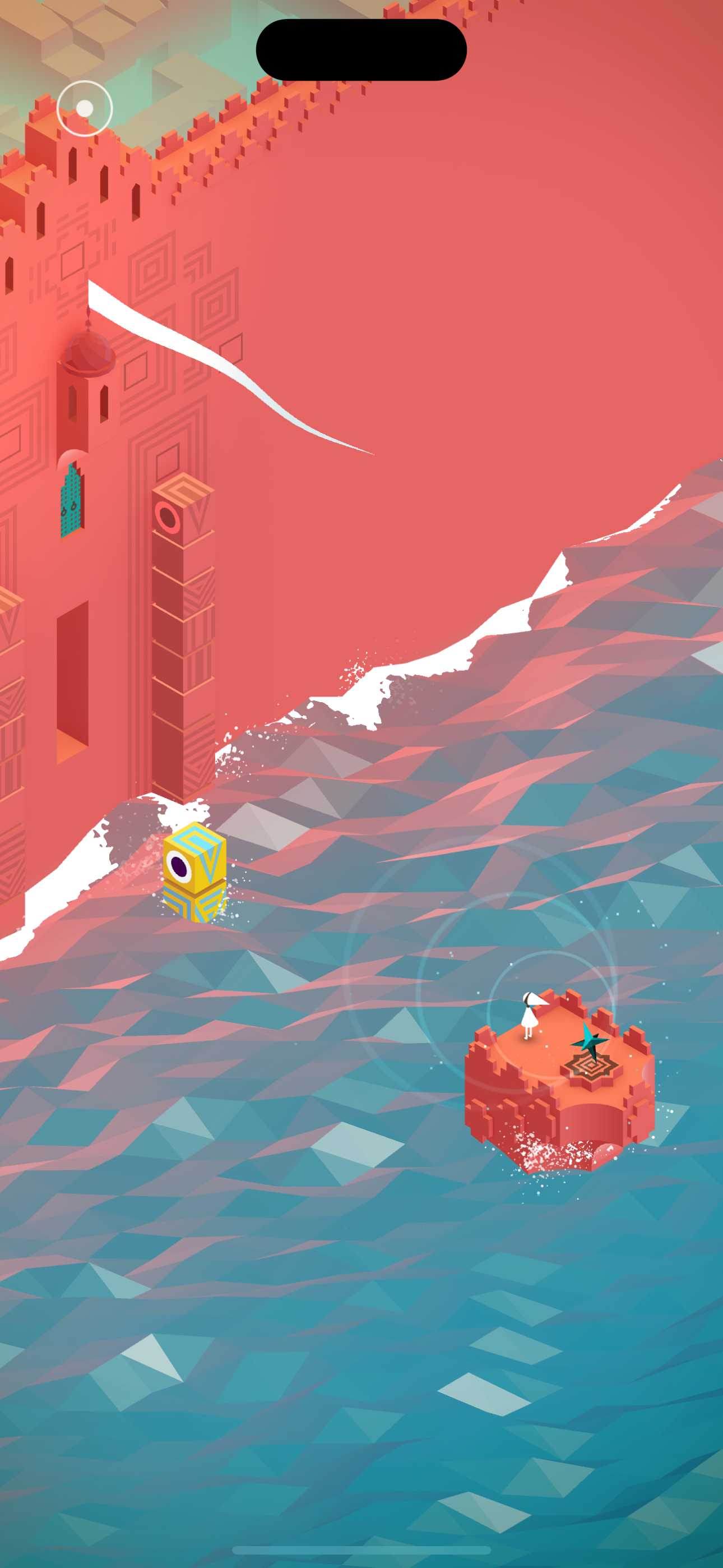
The Totem looks like a chunky, stackable block tower with a friendly eye. Unlike Ida, it doesn’t move on its own. Instead, players slide it along tracks, rotate it, or stack it up and down to help bridge gaps and unlock new paths. Where Ida respects the “rules” of Monument Valley’s optical illusions, the Totem acts as a living piece of the architecture.
Core Totem Mechanics
- Movable Platform: You control the Totem by dragging it along fixed paths or lanes. It can’t jump, but it glides smoothly between specific points.
- Bridge Builder: Often, the Totem acts as a portable bridge, letting Ida cross otherwise impossible gaps. Moving the Totem under her feet connects the dots—sometimes literally.
- Stackable Segments: In certain puzzles, the Totem splits into segments or telescopes taller or shorter. Adjusting its height lets Ida step up or down between platforms.
- Puzzle Key: The Totem sometimes holds switches or serves as the weight to activate pressure plates, pressing them for Ida when she needs to pass through a door.
How Ida and Totem Work Together
Walking Over Totem
Any time the Totem lines up flat with a walkway, Ida’s able to cross. Visual alignment matters: if the platform and Totem are on the same level in your view, tapping sends Ida across without hesitation. Even if the Totem “shouldn’t” reach or float by regular physics, as long as the path looks smooth, it counts.
Riding the Totem
Sometimes, especially in later chapters, Ida will ride on top of the Totem as it moves. Think of it as a living elevator. You guide the Totem beneath her, then slide it along to a new part of the puzzle. This is handy for crossing moving platforms, changing heights, or dodging hazards.
Blocking Hazards
On rare occasions, the Totem protects Ida from hostiles (like pesky crow people). By slotting itself between Ida and danger, the Totem works as a shield. It doesn’t fight back, but it buys time for solving puzzles.
Strategies for Smart Totem Use
Plan Your Moves
The Totem usually moves in straight lines or simple tracks. Before you commit, scan the route. Can it reach all the spots Ida needs, or do you need to reposition another part of the monument first? A little foresight saves frustration.
Watch for Alignment
Just like pathfinding with regular platforms, alignment is everything. If the Totem “looks” like it connects two points, it usually does, even if the 3D logic feels impossible. Don’t be afraid to experiment by sliding it under or beside platforms.
Stack and Combine
Some puzzles require the Totem to change shape—stretching tall, splitting, or compacting. Use these features to bring platforms to Ida’s level or to lift her upward. Stack segments to create stairs, or collapse them for low bridges.
Use Ida’s Movement Cues
If Ida won’t step onto the Totem, double-check the alignment. If she seems stuck, try moving the Totem slightly or spinning the camera. Often, a tiny adjustment is all you need to connect platforms.
Common Totem Puzzle Types
- Bridging the Gap: Place the Totem between separated walkways so Ida can cross.
- Elevators: Use the Totem to ferry Ida between vertical levels.
- Switch Weight: Station the Totem on labeled pads to open doors or shift architecture.
- Obstruction: Physically block enemies or redirect movement by parking the Totem in their path.
Totem Limitations and Pitfalls
- Fixed Tracks: The Totem can’t go everywhere—its movements are limited to indicated tracks or areas.
- No Independent Jumps: It won’t hop platforms or traverse angled paths unless tracks allow it.
- One Totem per Puzzle: If you see multiple split segments, they work as one unit (and can’t be separated far).
Best Practices for Totem Puzzles
- Start by identifying all the Totem’s routes before moving Ida.
- Use the Totem’s features to bring tricky platforms within reach.
- When stumped, rotate the scene—sometimes a way forward is only clear from another angle.
- Remember the Totem’s interactions can trigger animations or story moments. If nothing else works, try moving both Ida and the Totem to new spots.
A Special Connection
The Totem isn’t just a tool for solving tricky puzzles—it’s one of Monument Valley’s most memorable characters. The game doesn’t say much, but the gentle way it helps Ida, and the subtle nods between them, add warmth and hints of story to these already clever challenges.
Quick Reference: Totem Interaction Tips
Do
- Move the Totem along every available track—it may reveal new routes.
- Use its shape-shifting abilities to solve both height and length puzzles.
- Leverage the Totem to activate switches and block hazards when needed.
Don’t
- Ignore the Totem’s ability to protect or elevate Ida.
- Forget to adjust your camera angle for better platform alignment.
- Rush through routes. Sometimes the solution takes a bit of careful sliding and planning.
Totem Interaction in a Nutshell
Working with the Totem blends puzzle-solving with a little heart. Treat it as a partner, not just a piece of scenery, and each new challenge feels smarter—and strangely more personal. Whether you’re crossing impossible bridges, stacking to new heights, or shielding Ida from harm, the Totem’s simple mechanics carry a lot of weight in Monument Valley’s surreal world.